Forms
Feel free to add and manipulate forms as you see fit. We use three brands of software, Microsoft Forms, Formidable and Gravity Forms. The following links point to the documentation. Formidable documentation and Gravity Forms Documentation. For internal communications use Microsoft Forms.
There is no need to use jotform, google forms, etc. for anything. In order to maintain our privacy policy we need direct access to the information; not at disparate providers.
Be sure to explore the standards for how forms work and how different form field types are used. For example, to choose one option from a list, use a Radio Select button. Conversely, to choose many options from a list, the checkbox should be used. Also, to confirm a required statement use the checkbox and the required attribute.
Close inactive forms
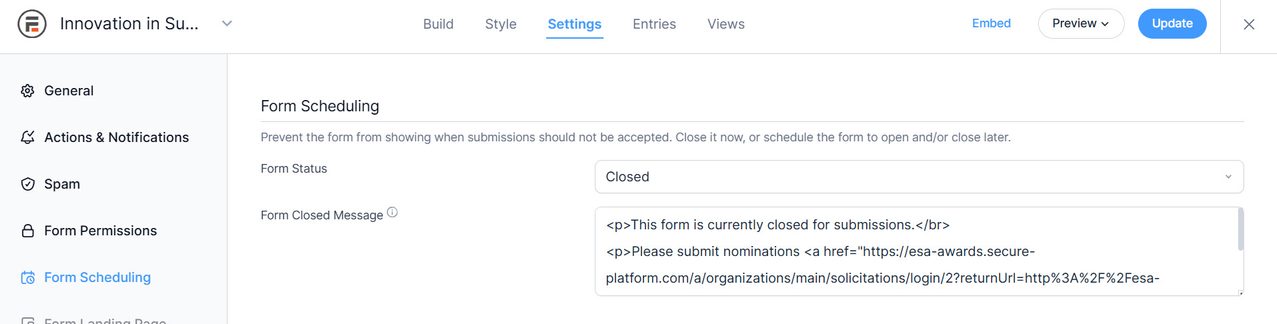
Close forms you are not using. Better yet, delete the entires so you can save the form template for later use. To close a form, see the following illustration.
Form > Settings > Form Scheduling.
Internal Poll or Form
Microsoft Forms
Public Questionnaire
Does it require a financial transaction?
Members Information
iMis for logged in members.